Terminal UI
The full-screen TUI screen by screen, then the plain CLI. Every image is from a recorded run; click to enlarge.
Hub
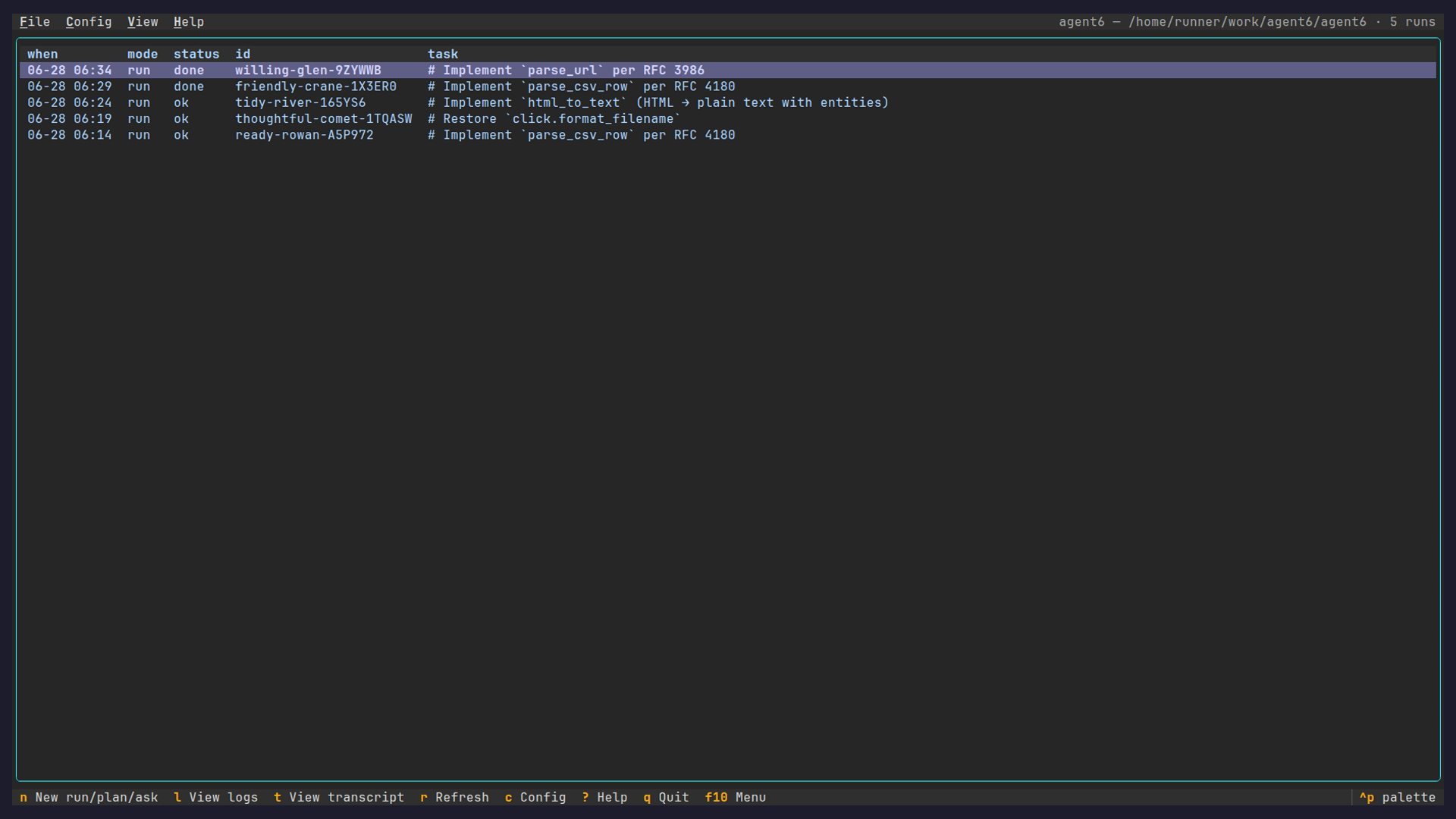
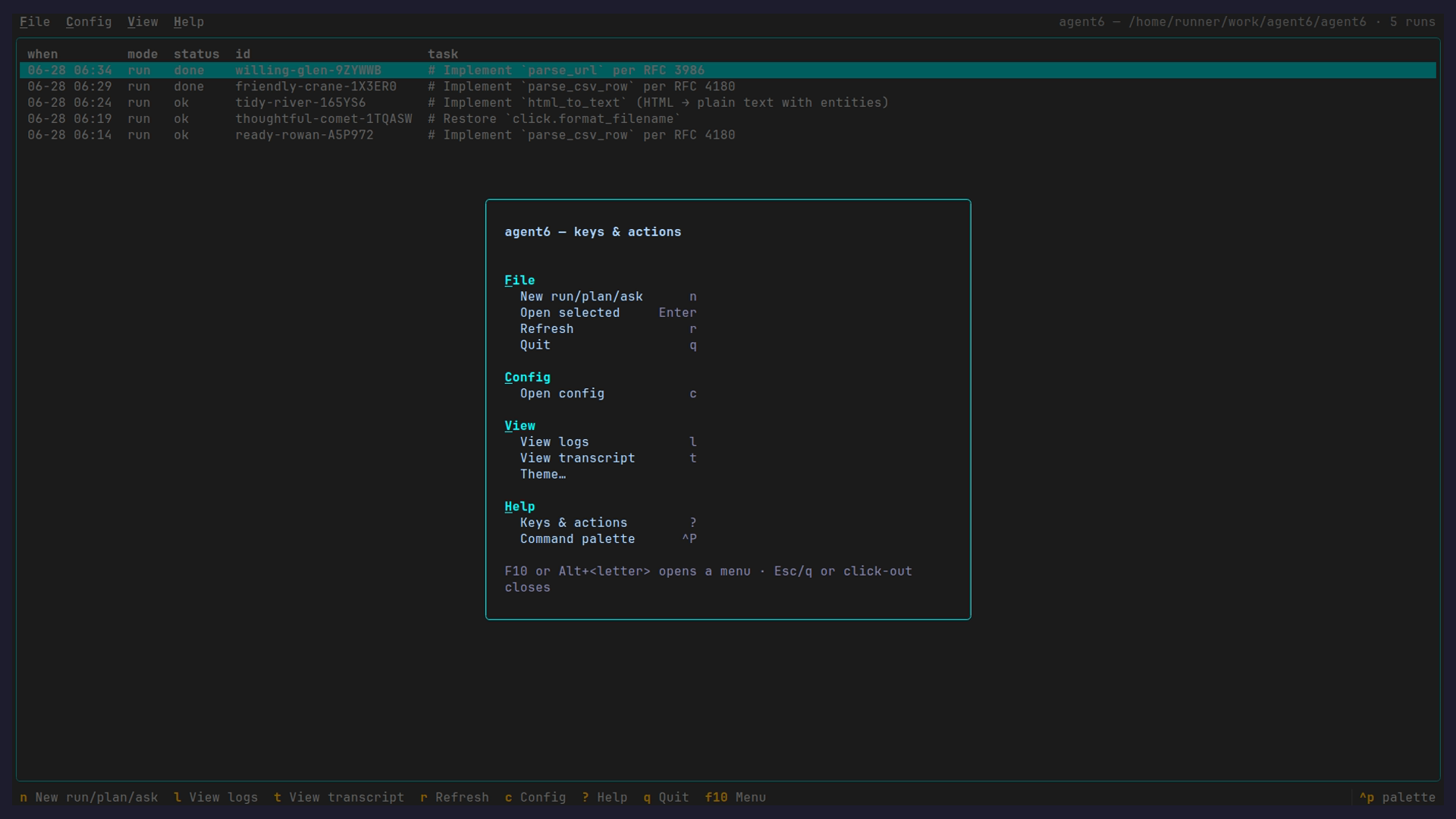
agent6 tui lists every session for the repository in five columns: updated, status (the mode folded in), cost, id, and task.
Below 100 columns updated keeps only the time for today's runs and only the date for older ones, and a status drops its reason; below 80, cost hides, so the task keeps its room.
- Enter opens a run
n: an empty conversation to start a run, plan, or ask (mode, preset and model picked above the composer; the model box shows the model the config resolves for the mode and preset, re-resolved whenever either changes, and a pick overrides it for this run; a refusal shows there with the text kept)l: the selected run's event log;m: merge its branch (sessions merge);d: delete its history (sessions rm), both after a confirm- Space: expand or fold a fan-out's lanes (one row with its lane count otherwise)
c: the config page;M: the machines screen;r: refresh;?: the keys;q: quit
Conversation
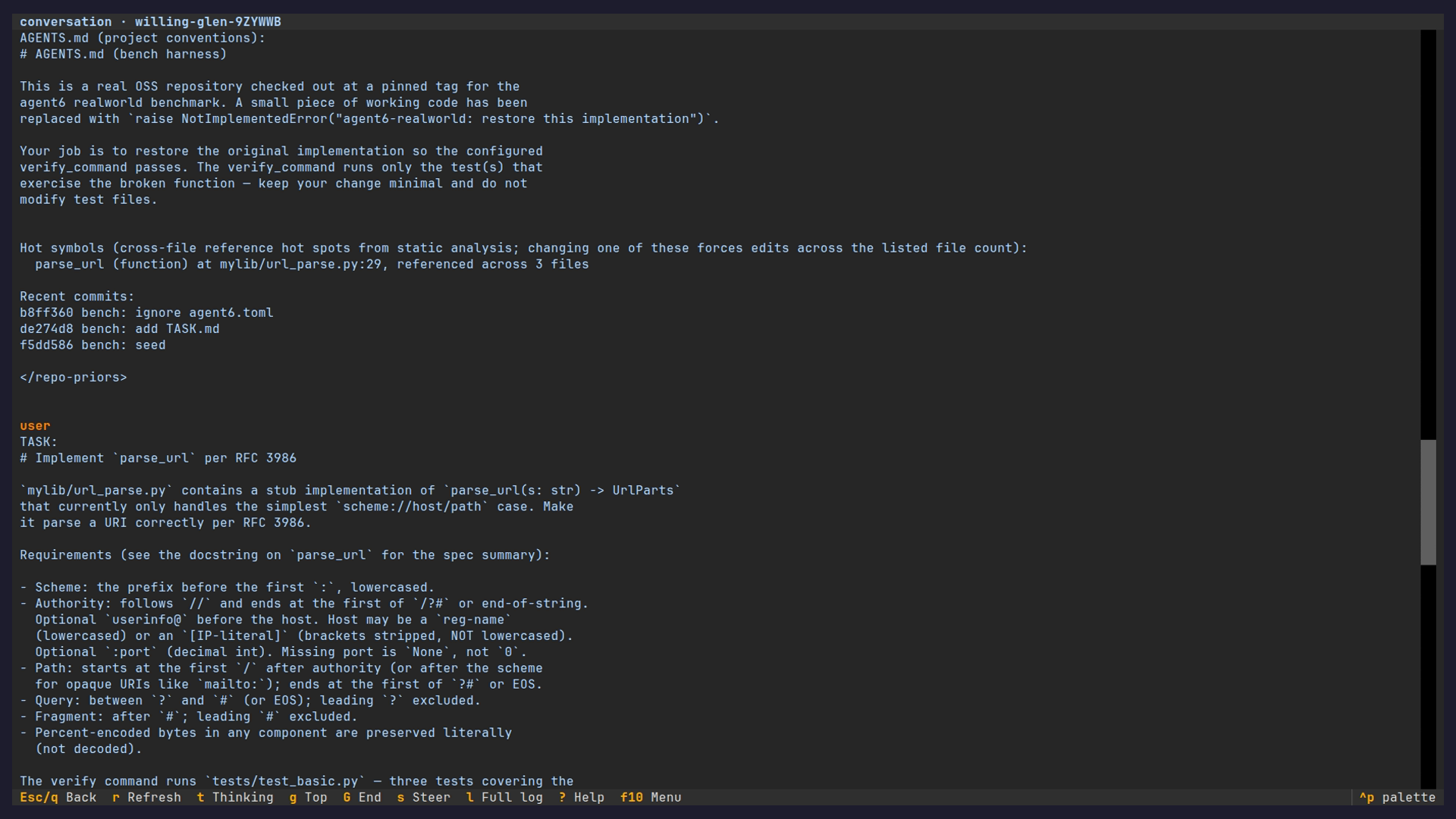
Opening a run lands on its conversation, the text agent6 sessions transcript prints: the task, the model's reasoning and every tool call, following live.
A live run keeps a steer bar at the bottom; the pane above it streams the model call and the tool calls in flight until their results land.
The composer takes the steer directives.
Ctrl+Tcycles the thinking and tool detail: hidden, collapsed, expandedCtrl+Ccopies the selection, or the whole transcript when nothing is selectedCtrl+Zleaves the view: a run started withagent6 run --tuidetaches after its current step (agent6 attachreattaches); one opened withattach --tuior from the hub keeps running as it wasCtrl+_undoes typing in the composer
An approval shows inline at the conversation's tail with an answer row above the bar, and collapses to one dim line once answered. The dashboard and the machine watch dock the same row.
- the keys are the CLI prompt's, on every surface:
yallow,aallow all this session,ndeny,ddeny all this session - the composer keeps the focus, so a message typed as a prompt arrives is a message; Tab moves the focus off it and the letters answer wherever it lands, Enter answering the focused button
- on a terminal narrower than a modal's button row the later buttons are off screen; the question modal's fields and Ctrl+S still answer
Run dashboard
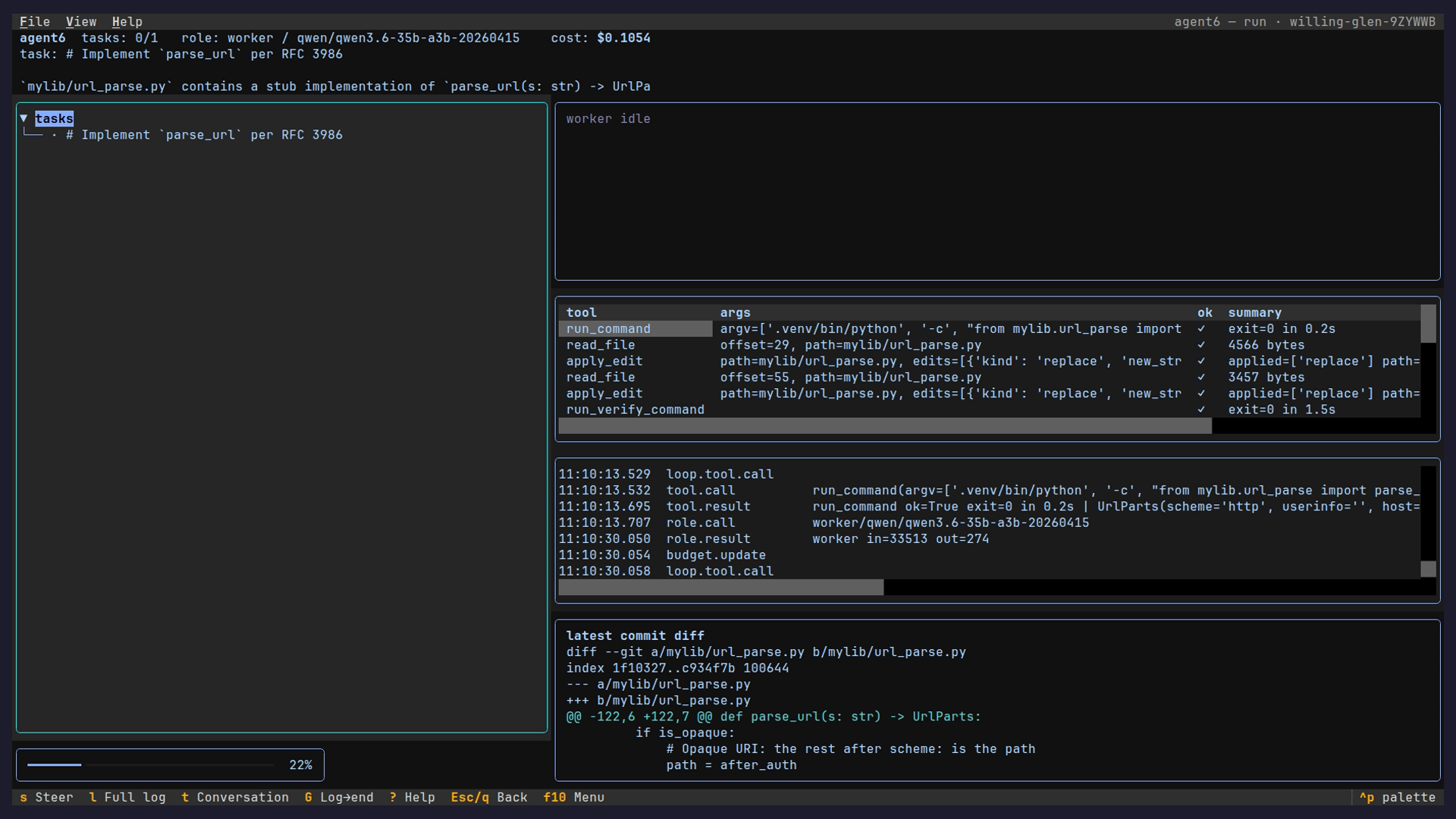
Ctrl+D toggles the dashboard: task graph beside live reasoning, tool calls with results, event log and latest commit diff side by side.
Before the first model call, the header names the role and model from the manifest and says starting; the spinner runs only while a model call is in flight.
- the diff pane opens on the latest commit; its selector walks the per-step commits,
cumulativeshows the chain up to one, and the task tree and cost line follow it; a run whose model owns git has no chain and the pane says so - the composer bar steers a live run or resumes a finished one, under the preset and model picked in the row above it (the first entries name what a resume without flags runs under);
/completes the directives, Ctrl-R searches past messages /shellslists the run's background commands;/restatereplays the conversation since your last message- the View menu maximizes the focused pane; under 28 rows the dashboard shows one pane row at a time and Tab unfolds the rest
- on a finished plan, Run > Run this plan starts
agent6 run --fromon it and opens the new run; the plan session stays as it was - on a finished run, Run > Review this run… runs
agent6 sessions reviewon it (a model call that can take minutes) and opens the markdown in a modal; a live run is refused until it ends
Event log
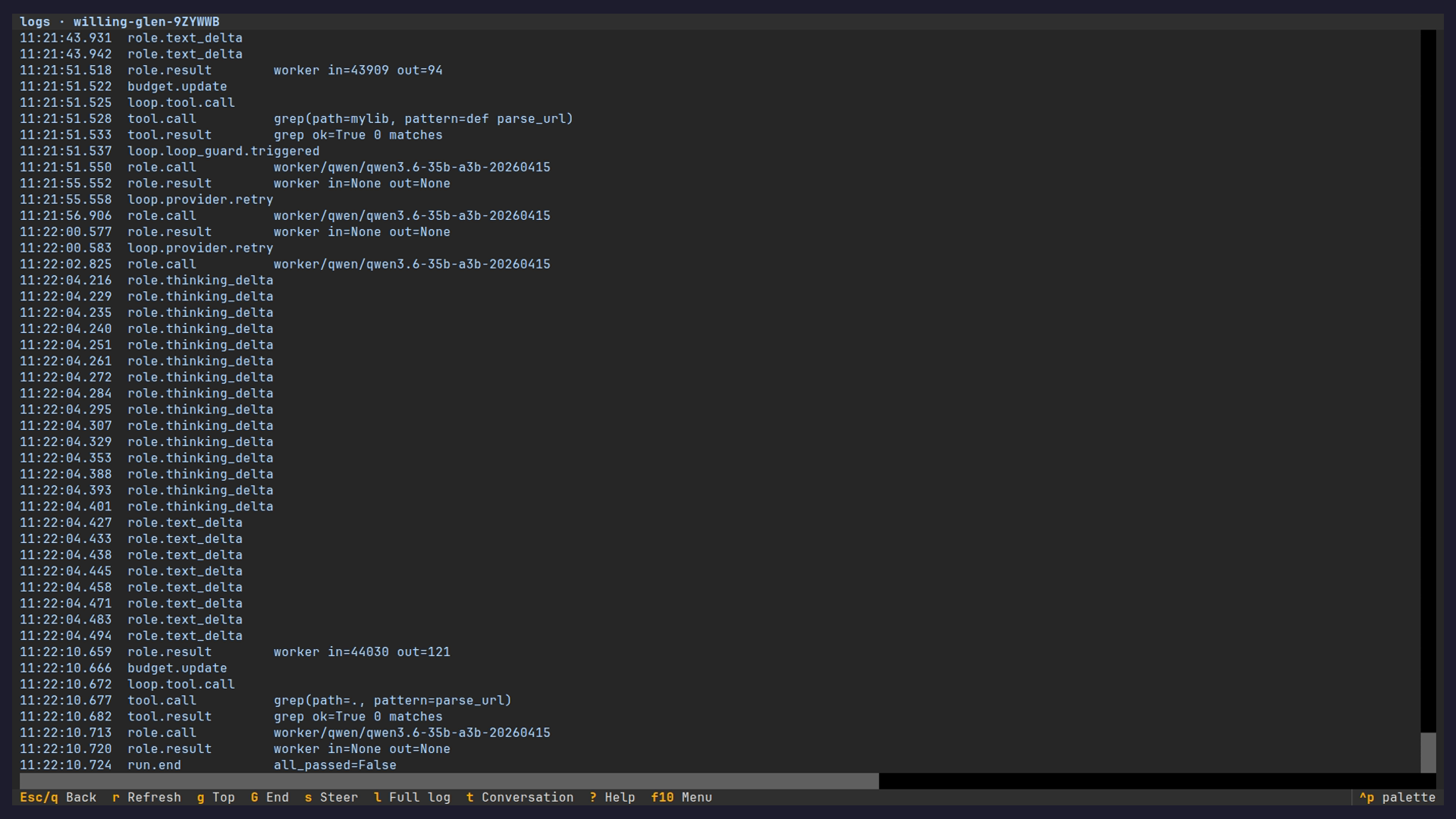
The View menu's Full log opens the structural events of the run's log, formatted as the dashboard's log pane formats them, scrollable over the whole run.
Configuration
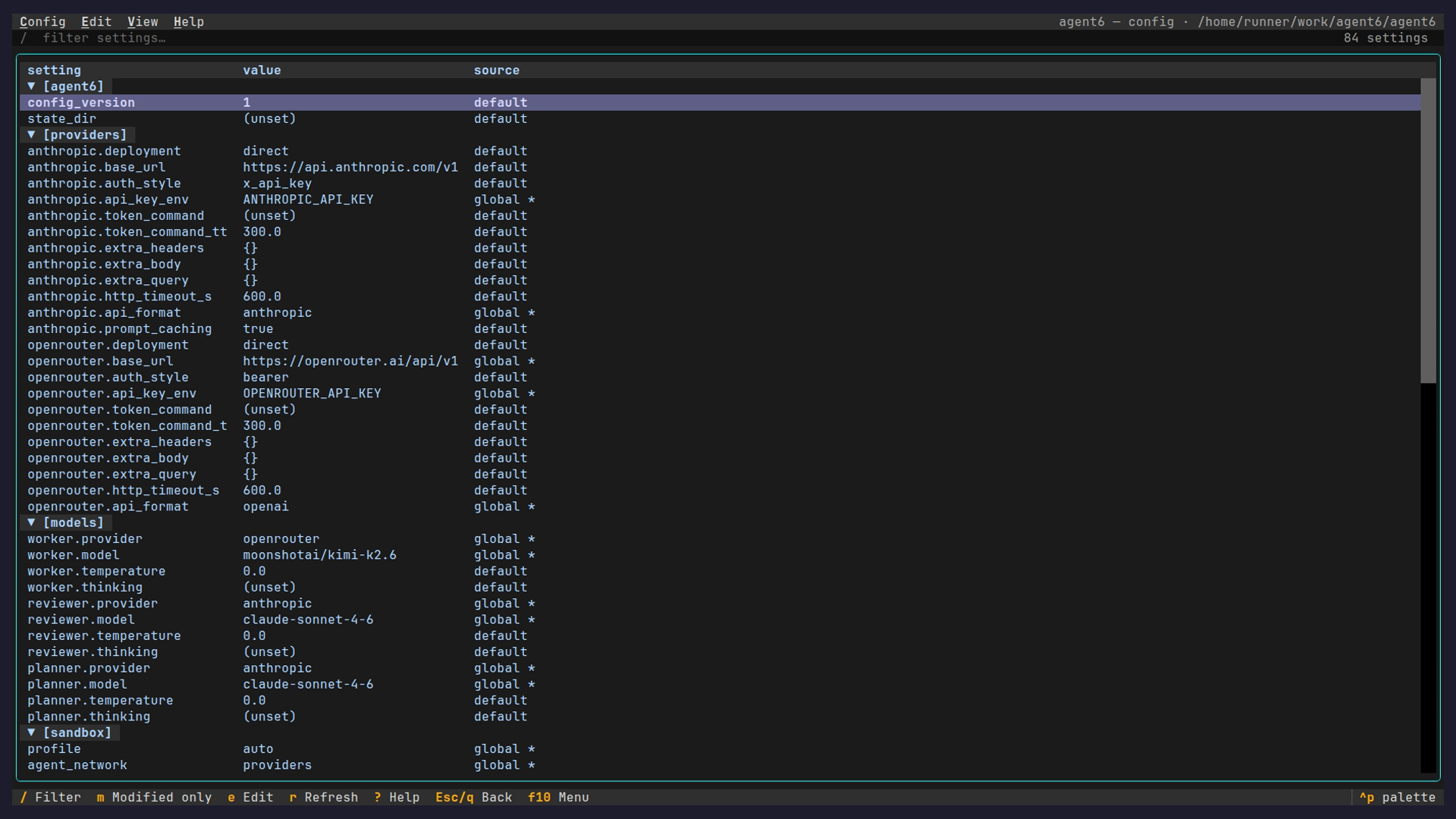
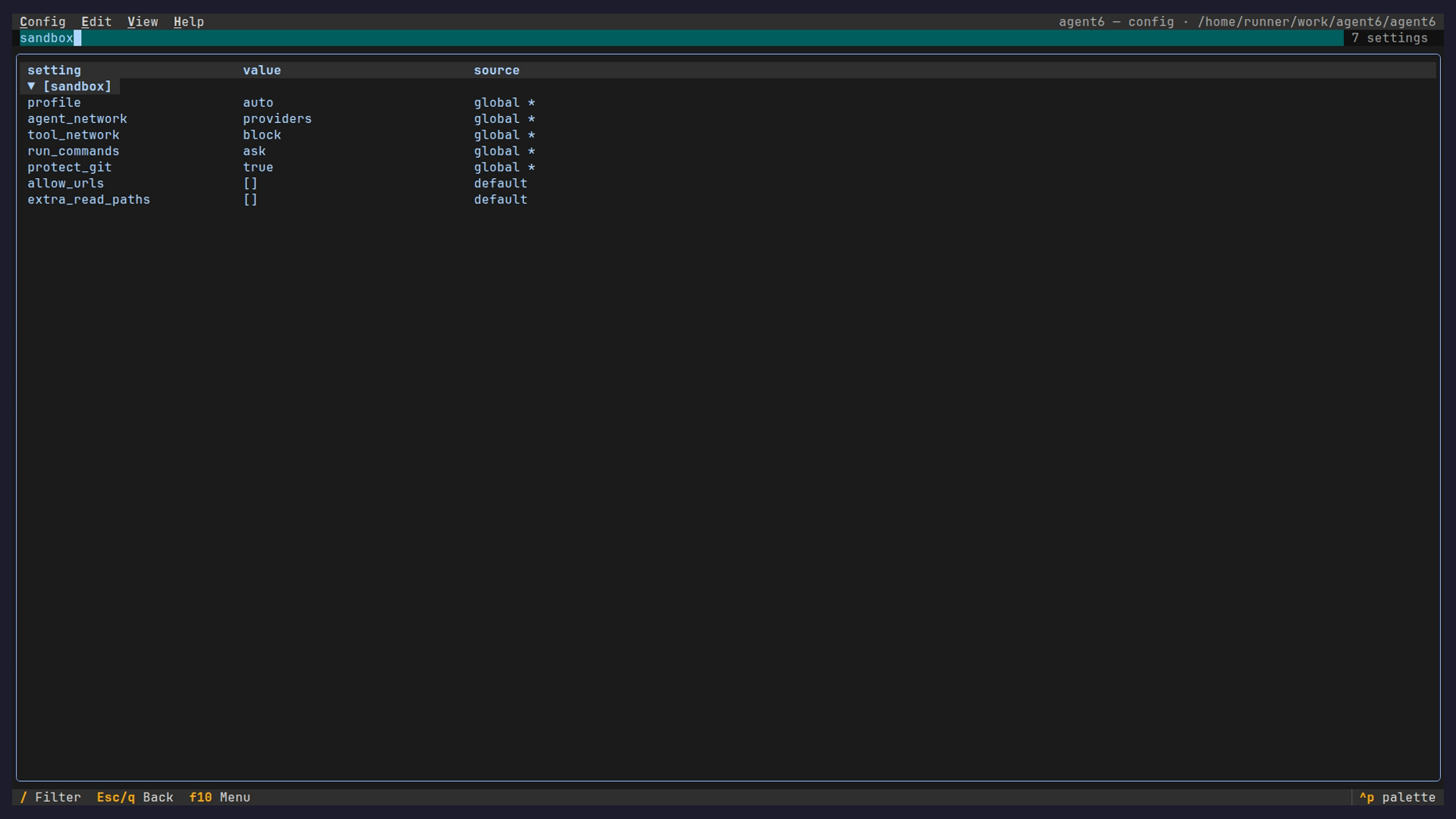
The config page shows every setting, its effective value, and the layer that set it: default, preset, global, repo, or flag (a --config FILE).
/ filters by name.
Keys
Without the TUI
agent6 run executes in the foreground; Ctrl-C opens its pause menu to steer it.
- the menu Tab-completes its commands; Up recalls, Ctrl-R searches past messages; a steer sent from another surface while it is open is taken as the answer
- the steer directives plus
/status,/tasks,/shells,/restate,/continue,/stop,/exit,/detach,/help
- the steer directives plus
/detachhands the run to the background after its current step (agent6 attachreattaches); Ctrl-Z prints the run's state and never suspends it (a suspended agent would lose its provider stream)/exitleaves the run resumable;/stop, or Ctrl-C at the pause prompt, stops it now, asagent6 stop IDdoesrun -iprompts after every commit:/continue(bare Enter),/cost,/diff,/watch,/mcp,/init,/undo,/help,/quit,/exit- hub-started runs run detached;
agent6 attachfollows them (conversation by default;--tui,--json,--raw)
Watching a state machine
An agent state machine runs in the terminal like anything else: author the file, read its graph, watch it execute.
Here code-fixer runs a fix loop: an agent state edits the repo to make a failing check pass, a tool state re-runs it, and the machine routes on the result until the check is green or the attempt budget is spent.
- the machines screen (
Mon the hub):v(or Enter) opens the parsed file,Rruns it,wwatches its instance,ccreates a draft,rrefreshes - the watch screen (also
agent6 attach --tui <id>):ssteers the current agent state,mmessages a waiting instance (machine poke),xstops it at the next transition
The screenshots and videos are regenerated from recorded runs by the pages workflow, so they track the current UI.